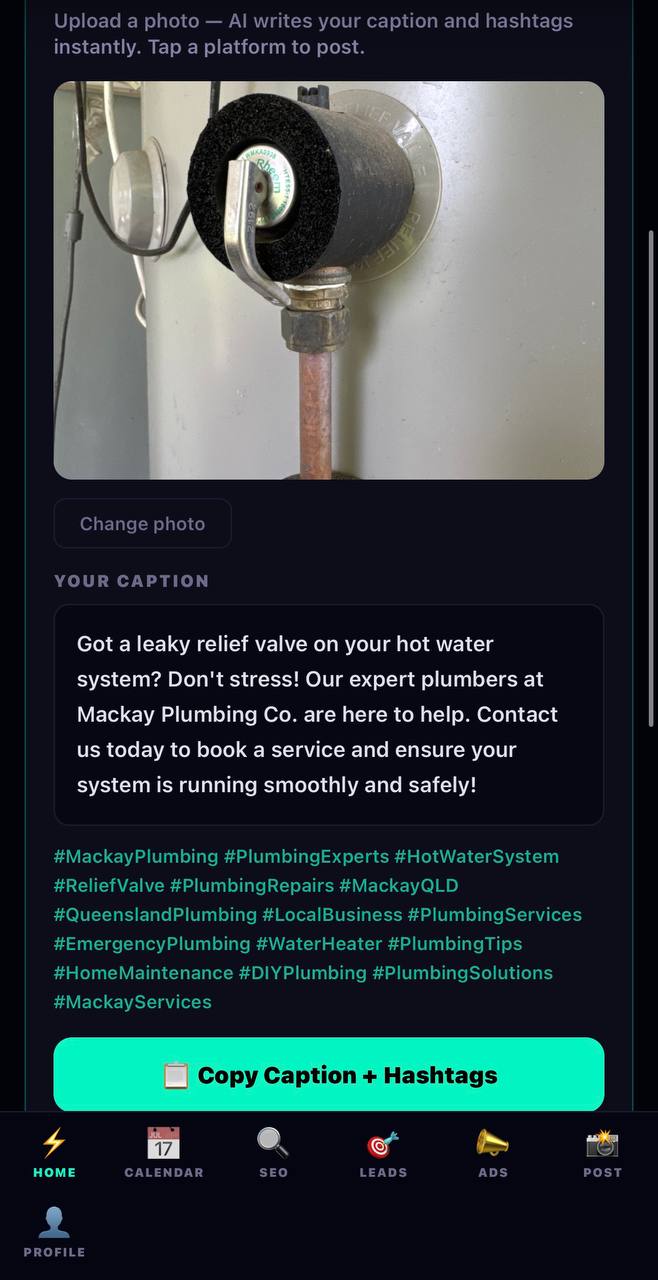
Snap a photo from today's job. Our AI reads it, writes a professional caption + 20 hashtags in 3 seconds. Tap a platform. Done.
How It Works
1
Open the AIXcel app
Photo to Post is right at the top of the Home tab. Tap the camera icon to upload a photo from your camera roll — or take one on the spot.
2
Upload any photo from your job
A finished roof. A clean pipe job. A fresh slab. A perfect cut of meat. Anything you're proud of. The AI will figure out what it is.
3
AI generates your caption + hashtags
Tap Generate. Our AI reads the photo, knows your business name, trade, and location — then writes a caption that sounds like you, not a robot. Plus 20 relevant hashtags. In about 3 seconds.
4
Choose your platform
Tap Instagram, Facebook, or TikTok. Your caption is automatically copied to your clipboard.
5
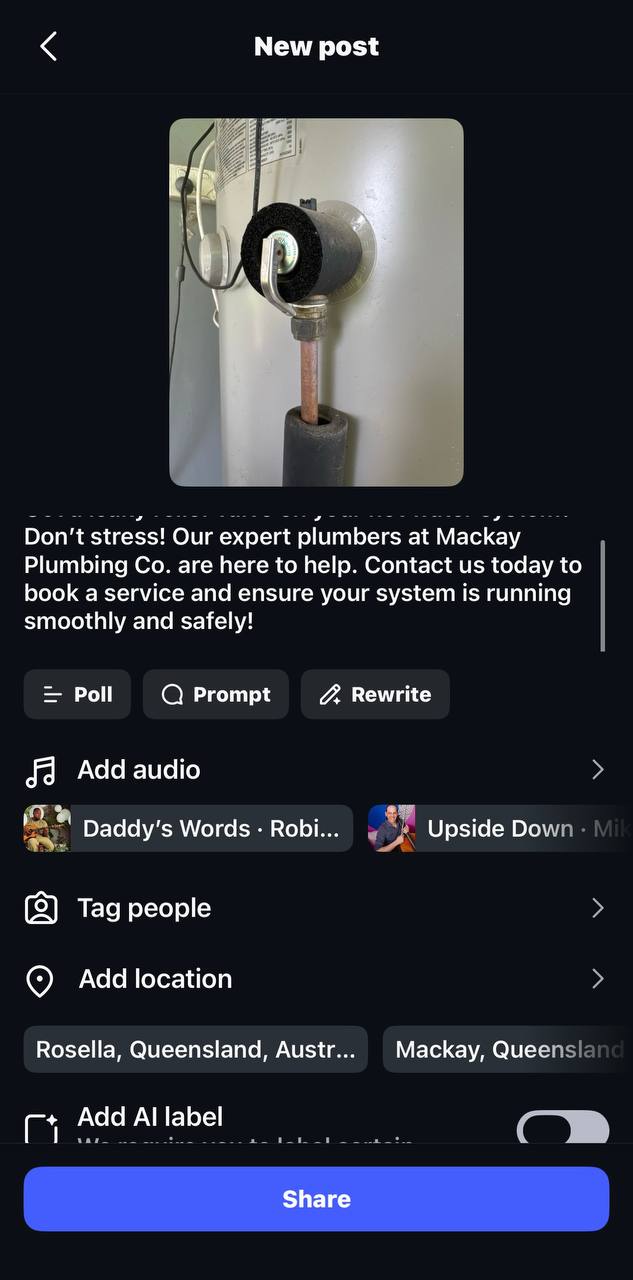
Paste and post
Instagram opens. Tap the + button, select your photo, tap the caption box, paste, and hit Share. Done. That's it. 60 seconds max.